
I’ve lost count of how many times I’ve watched a beginner creator drop five hundred dollars on a heavy-hitting NLE (Non-Linear Editor) only to quit three weeks later because they couldn’t figure out how to cut a clip. Here’s the ugly truth the software giants don’t want you to know: your raw footage doesn’t care if you paid for your license or downloaded it for zero dollars. It just wants a decent cut. But the moment you start digging into the endless forums, Reddit threads, and YouTube comparison vids, paralysis sets in. You start thinking you need Hollywood-grade tools to edit your dog videos or basic talking-head clips. Let’s clear the static right now. I’m going to walk you through the exact framework I use to evaluate editing tools, stripping away the marketing fluff so you can pick a lane and start building.
- • The Great Myth of "Pro" Features for Absolute Beginners
- ↳ What Free Video Editors Actually Give You Today
- • When It Actually Makes Sense to Swipe Your Card
- • The Hidden Costs Nobody Mentions
- • How to Make Your Final Choice Without Overthinking It
- ↳ Is free video editing software safe to download?
- ↳ Do I need a powerful computer to run basic editing software?
- ↳ Can I switch from a free editor to a paid one later without losing my skills?
- ↳ Are watermarks common in free video editing software?
Key Takeaways & Quick Overview
AI Verified
- ✔I’ve lost count of how many times i’ve watched a beginner creator drop five hundred dollars on a heavy-hitting nle (non-linear editor) only to quit three weeks later because they couldn’t figure out how to cut a clip.
- ✔Here’s the ugly truth the software giants don’t want you to know: your raw footage doesn’t care if you paid for your license or downloaded it for zero dollars.
- ✔But the moment you start digging into the endless forums, reddit threads, and youtube comparison vids, paralysis sets in.
- ✔You start thinking you need hollywood-grade tools to edit your dog videos or basic talking-head clips.
The Great Myth of “Pro” Features for Absolute Beginners
When you’re starting out, you hear terms like “multicam editing,” “log color profiles,” and “dynamic linking” thrown around like confetti. It sounds impressive. It makes you feel like an industry insider just by reading the spec sheet. But let’s be honest with each other: if you don’t even know how to balance audio levels or drop a basic cross-dissolve, advanced node-based color grading is just an expensive way to ruin your footage.
Most commercial suites are designed for enterprise teams passing projects between five different departments. You are one person sitting in a room with a cup of cold coffee. You don’t need half the bloatware packed into those heavy subscription plans. In fact, heavy software introduces mental friction. Every time you open an interface choked with features you won’t touch for the next three years, your brain works overtime just to find the razor tool. Simplicity is a feature, not a compromise.
What Free Video Editors Actually Give You Today
Years ago, free editing tools were absolute trash. They slapped massive watermarks right across your export, crashed every time you applied a transition, and capped your output at grainy 720p resolutions. Thank goodness those days are largely behind us. Today, zero-dollar software can genuinely shock you.
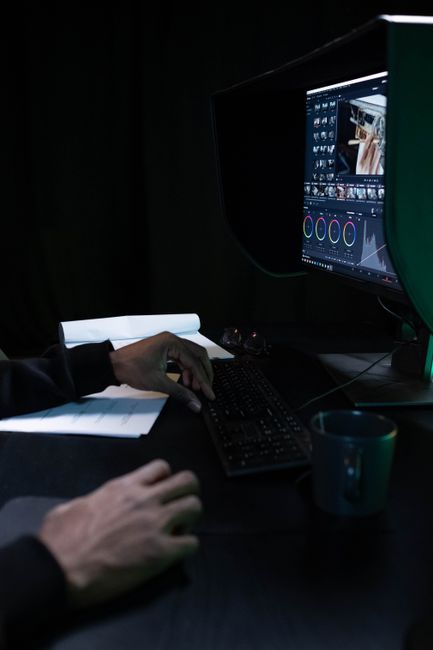
Take DaVinci Resolve as a prime example. The free version gives you a Hollywood-grade color suite and a fully functional audio post-production house (Fairlight) for the low, low price of absolutely nothing. No watermarks. No arbitrary export limits. Sounds like a no-brainer, right? Well, there’s a catch, and it’s usually hardware. Free software often relies heavily on your computer’s native processing power without heavy optimization, or it locks certain advanced GPU acceleration behind a paywall. If your laptop sounds like a jet engine taking off every time you drop an MP4 onto the timeline, that’s the free software tax.

When It Actually Makes Sense to Swipe Your Card
I’m not here to tell you that paying for software is a scam. It isn’t. There comes a specific tipping point in your creative journey where free options start actively slowing you down.
If you’re editing client work with tight turnaround times, stability is everything. Crashing halfway through a render before a deadline will make you question your life choices real quick. Paid platforms like Adobe Premiere Pro offer massive ecosystems of third-party plugins, seamless dynamic linking with motion graphics templates, and robust auto-captioning features that save literal hours of manual labor.
Ask yourself these three questions before handing over your credit card details:
- Is this making me money or saving me significant time? If the answer is no, stay away from the subscription model.
- Does my current machine even meet the hardware requirements? Subscribing to heavy software on a four-year-old laptop is a recipe for frustration.
- Am I limited by export formats or rendering codecs? Some free tools restrict your export options to weird codecs that struggle on mobile or social platforms.
The Hidden Costs Nobody Mentions
Let’s talk about subscription fatigue. The software industry shifted from permanent licenses to monthly fees a while back, and it quietly drains bank accounts. A twenty-dollar monthly fee doesn’t sound like much on surface level. But multiply that by twelve months, then by three years. Suddenly, you’ve dropped nearly a grand on software you’re renting, not owning.
On the flip side, “free” software often costs you in time. You might spend three hours scouring forums to figure out why your audio is out of sync because the free editor has a weird bug with variable frame rate (VFR) footage from your smartphone. Time is a finite asset. If you spend twenty hours troubleshooting a glitchy free tool instead of shooting and editing content, that “free” editor just cost you a massive chunk of your productivity.
How to Make Your Final Choice Without Overthinking It
Stop paralyzed browsing. Pick a weekend, download one free option (like the free tier of Resolve or CapCut Desktop if you want ultra-fast, trendy cuts), and edit a real project from start to finish. Don’t watch twenty tutorials beforehand; just dive in and figure out where your friction points are.
If the software does what you need without crashing your machine, stick with it for at least ten projects. Mastery beats shiny new features every single day of the week. You can have the most expensive software on the planet, but if you don’t understand pacing, sound design, and story structure, your edits are still going to feel flat. Master the fundamentals first, upgrade your tools later when the tool itself becomes the bottleneck.
Frequently Asked Questions
Is free video editing software safe to download?
Yes, as long as you download directly from the official developer website or trusted app stores. Avoid sketchy cracked versions of paid software found on third-party forums; that’s the fastest way to invite malware onto your hard drive.
Do I need a powerful computer to run basic editing software?
Not necessarily for lightweight or free editors, but modern video formats (like 4K HEVC) demand decent processing power. If your computer struggles, you’ll need to learn how to use proxy files (low-resolution copies of your footage) to keep your timeline running smoothly.
Can I switch from a free editor to a paid one later without losing my skills?
Absolutely. The core concepts of video editing—such as timeline manipulation, J-cuts, L-cuts, audio balancing, and keyframing—translate universally across almost every single platform on the market. Once you learn the logic of editing, changing software is just learning where the buttons are.
Are watermarks common in free video editing software?
Reputable free tools like DaVinci Resolve, CapCut, and Apple iMovie do not put watermarks on your exported videos. If a random free editor insists on slapping a massive logo across your work unless you pay, uninstall it immediately.